Samsung Help: Expert Support for TVs, Appliances, and Galaxy Devices
Need Samsung help? Get expert support for Samsung TVs, washers, refrigerators, and Galaxy devices. Live Samsung experts available 24/7 for troubleshooting, training, and personalized guidance.

The Challenge of Getting Help from Samsung
If you've ever needed help with your Samsung TV, washer, refrigerator, or Galaxy phone, you've probably discovered that getting personalized support from Samsung isn't as easy as you'd expect. Samsung's support system, while available, has significant limitations that leave many users frustrated and searching for alternatives.
Samsung offers several official support channels: the Samsung Support website, the Samsung Members app, phone support, and authorized service centers. However, each of these has drawbacks that make them less than ideal for many users:
The Samsung Support Website contains thousands of articles covering everything from basic setup to advanced troubleshooting. But finding the right article for your specific model can take 30 minutes or more. The information is often generic, written for a broad audience rather than your particular device, software version, or unique circumstances.
Samsung Phone Support can involve long hold times, transfers between departments, and representatives who follow scripts rather than providing personalized guidance. If your issue is complex or spans multiple Samsung products, you may find yourself explaining your situation repeatedly to different people. And with Samsung's vast product range—from phones to refrigerators—finding someone who truly understands your specific product can be hit or miss.
Samsung Members App is helpful for diagnostics on Galaxy devices, but it ultimately funnels you into the same limited channels, often recommending you visit a service center or call support.
Authorized Service Centers require scheduling appointments, often days or weeks out, and traveling to the location. For appliance issues, in-home service calls can be expensive and may require multiple visits if parts need to be ordered.
That's where ExpertHelp comes in. We connect you with independent Samsung experts who provide the personalized, patient, comprehensive guidance that Samsung's official channels often can't deliver.
Why Choose ExpertHelp for Samsung Support
Real Experts Who Know Samsung Inside and Out
When you connect with an ExpertHelp Samsung expert, you're not talking to someone reading from a script. Our experts are technology professionals with deep knowledge of the entire Samsung ecosystem:
- Appliance repair technicians with years of hands-on experience with Samsung washers, dryers, and refrigerators
- TV specialists who understand Samsung's QLED, Neo QLED, and Smart TV technology
- IT professionals who support Samsung devices in enterprise environments
- Former Samsung service technicians who know how Samsung products work from the inside
- Electronics enthusiasts with experience across the entire Samsung product line
- Home theater installers who configure Samsung TVs and soundbars daily
Our experts don't just know how to use Samsung devices—they understand how they work. This deeper knowledge means they can solve problems that stump even Samsung's own support representatives.
Two Ways to Get Help
Ask An Expert
Submit your Samsung question and choose from three options:
- Free Answer from Qualifying Experts: Get help from experienced community experts at no cost
- AI-Powered Answer: Receive an instant automated solution from our advanced AI system trained on thousands of Samsung issues
- Premium Expert Answer: Connect with a verified, vetted Samsung expert for comprehensive, personalized support for a fair fee
Get A Quote
Need hands-on help with your Samsung devices? Connect with local professionals who offer:
- In-home appliance repair and service
- TV mounting, setup, and calibration
- Smart home integration with SmartThings
- Samsung device training and coaching
- Business Samsung device deployment and management
- Home theater installation and configuration
Available 24/7, No Appointments Needed
Samsung problems don't wait for business hours. Whether your refrigerator stops cooling at midnight, your TV loses picture before the big game, or your washer displays an error code on a Sunday morning, ExpertHelp has experts ready to assist.
No service center appointments. No hold music. No explaining your issue to three different people. Just real help from real experts, whenever you need it.
Samsung Washer & Dryer Help
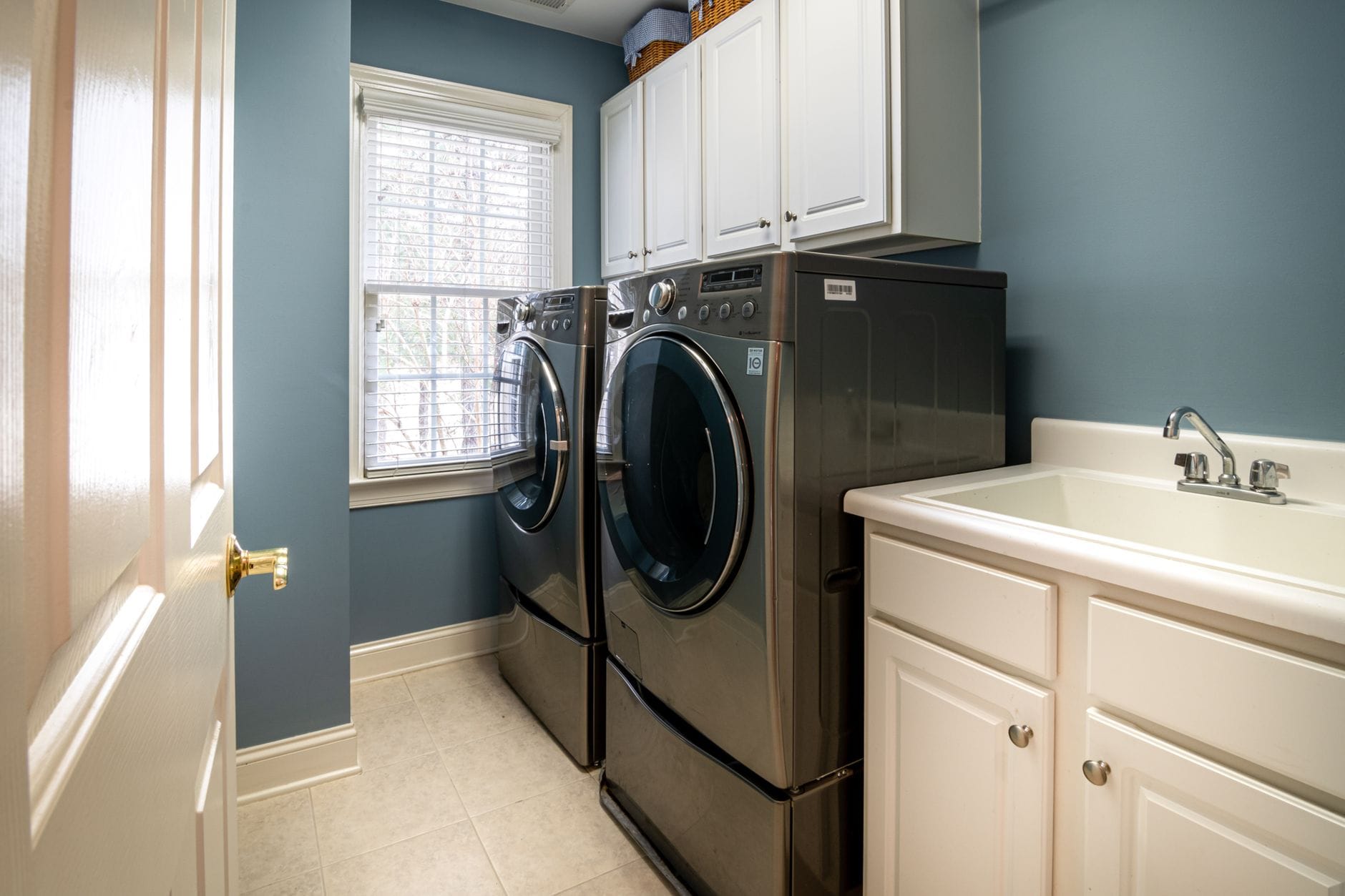
Samsung washers and dryers are packed with advanced features, but those features come with complexity. When your washer starts flashing error codes or your dryer won't heat properly, you need answers fast—especially with a pile of dirty laundry waiting.
Common Samsung Washer Problems We Solve
Error Codes That Make No Sense
Samsung washers communicate through error codes like UE, DC, ND, 4E, and 5E. Each code points to a specific issue, but deciphering what they mean—and more importantly, how to fix them—isn't always straightforward. Our experts have seen every Samsung error code and can walk you through exactly what's happening and how to resolve it.
The Dreaded Door Lock
Few things are more frustrating than a Samsung washer that won't unlock. The red key symbol appears, and suddenly your wet laundry is trapped inside. This often happens mid-cycle due to drainage issues, power interruptions, or sensor problems. Our specialists can help you safely release the door without damaging the lock mechanism.
Leaking From the Detergent Drawer
This is one of the most common Samsung washer complaints. Water or suds leak from the detergent dispenser during the wash cycle. The causes range from using too much detergent to clogged dispenser compartments to water pressure issues. Our experts can diagnose the exact cause for your model and guide you through the fix.
Not Draining Properly
When your Samsung washer won't drain, clothes come out soaking wet and the machine may display an ND or 5E error. This could be a clogged drain filter, a kinked drain hose, or a failing drain pump. Before calling for an expensive service visit, let our experts help you troubleshoot.
Excessive Vibration and Noise
Samsung front-load washers are notorious for walking across the laundry room when unbalanced. But excessive vibration can also indicate worn shock absorbers, suspension springs, or bearing problems. Our specialists can help you determine whether this is a simple fix or something requiring parts replacement.
Samsung Dryer Issues
Not Heating
A Samsung dryer that tumbles but doesn't heat is usually dealing with a blown thermal fuse, faulty heating element, or failed thermistor. Our experts can help you safely test components and identify exactly what needs replacement.
Taking Too Long to Dry
If your Samsung dryer runs forever but clothes are still damp, the issue is often restricted airflow. Clogged lint filters, blocked vent ducts, or crushed exhaust hoses reduce efficiency dramatically. Sometimes it's sensor calibration. Our specialists walk you through the diagnostic process.
Error Codes and Sensor Problems
Samsung dryers display codes like HE (heating error), dO (door open), and tS (temperature sensor). Understanding these codes and knowing when you can fix it yourself versus when you need a technician saves time and money.
Samsung TV Help
Samsung TVs are among the most popular in the world, from budget LED models to premium Neo QLED and The Frame displays. But smart features, streaming apps, and complex picture settings create plenty of opportunities for confusion and frustration.

Smart TV Streaming Issues
Apps Not Working or Crashing
Netflix, Disney+, YouTube, and other streaming apps sometimes stop working on Samsung Smart TVs. Apps crash on launch, buffer endlessly, or display error messages. This could be a software issue, an internet connectivity problem, or Samsung's servers having trouble. Our experts help you isolate the cause and get streaming again.
Pandora, Spotify, and Music Apps
Music streaming apps on Samsung TVs have their own quirks. Pandora in particular has a history of compatibility issues with certain Samsung TV models and firmware versions. When you see "This app isn't responding," our specialists know the workarounds.
HBO Max, Peacock, and Newer Apps
Samsung regularly updates which apps are available on which TV models. Sometimes apps disappear after updates, or older TVs lose support entirely. Our experts help you understand your options, from using external streaming devices to casting from your phone.
Picture Quality Problems
Dark Shadows on the Screen
A dark shadow or band appearing on part of your Samsung TV screen can indicate backlight failure, panel damage, or simply incorrect picture settings. Before assuming the worst, let our experts help you run diagnostics and determine whether it's a fixable issue or a hardware problem.
Screen Stuck Zoomed In
Samsung TVs sometimes get stuck in a zoomed-in picture mode that cuts off the edges of the image. This is usually a picture size or aspect ratio setting, but finding the right menu can be confusing. Our specialists guide you through the specific steps for your model.
Icons or Overlays Won't Disappear
Demo mode icons, Energy Star logos, or All Share symbols that appear on screen and won't go away are frustrating. These usually require accessing hidden service menus or specific button sequences. Our experts know the tricks for each Samsung TV series.
Red X or Error Symbols
A red X appearing on your Samsung TV screen often indicates a signal issue—either with your cable/satellite box, HDMI connection, or the TV's tuner. Our specialists help you identify exactly what's causing the error symbol.
Connection and Setup Issues
HDMI Problems
Samsung TVs are particular about HDMI handshakes, especially with gaming consoles, soundbars, and 4K devices. When your PS5 or Xbox won't display properly, or your soundbar keeps cutting out, our experts troubleshoot the HDMI configuration.
Wi-Fi Connectivity
Samsung Smart TVs losing Wi-Fi connection, failing to find networks, or connecting but not loading content is a common complaint. Network settings, firmware issues, and router compatibility all play a role. We help you get connected reliably.
Soundbar and Audio Setup
Getting Samsung TVs to work seamlessly with soundbars—especially Samsung's own soundbars—should be simple but often isn't. ARC, eARC, optical connections, and TV speaker settings all need to be configured correctly. Our specialists walk you through the optimal setup.
Samsung TV Model-Specific Help
QLED and Neo QLED TVs
Samsung's premium quantum dot displays have advanced features like local dimming, gaming modes, and object tracking sound. When these features don't work as expected, or settings seem to reset, our experts provide model-specific guidance.
The Frame and Lifestyle TVs
The Frame, The Serif, and other lifestyle TVs have unique features like Art Mode and customizable bezels. Troubleshooting these specialized models requires expertise our specialists provide.
Older Samsung TVs
Smart Hub on older Samsung TVs is being sunset, which means apps are disappearing. Our experts help you understand what's happening and find solutions to keep your TV functional.
Samsung Refrigerator Help
Samsung refrigerators combine sleek design with advanced cooling technology. But when your fridge stops keeping food cold or your ice maker gives up, you need answers before groceries spoil.

Ice Maker Problems
Ice Maker Not Making Ice
Samsung refrigerator ice makers have a reputation for issues. The ice maker might freeze up, the water line could be clogged, or the ice maker assembly itself may have failed. Our experts help you diagnose whether this is a DIY fix or requires parts replacement.
How to Remove or Reset the Ice Maker
Many Samsung refrigerator repairs require removing the ice maker assembly. Our specialists provide step-by-step guidance for your specific model, including the RS265, RF28, and Family Hub series.
Ice Tastes Bad or Has Odors
When ice from your Samsung fridge tastes or smells off, the culprit is usually the water filter, but it can also be ice that's been sitting too long or contamination in the water line. We help you identify and fix the source.
Temperature and Cooling Issues
Temperature Display Not Working
Samsung refrigerator control panels sometimes stop displaying temperature readings or show unusual symbols. This could be a control board issue, a sensor problem, or simply a display glitch after a power outage. Our experts guide you through the reset process.
Temperature Fluctuating or Scrolling
When your Samsung refrigerator's temperature indicators scroll up and down by themselves, it typically indicates a sensor error or control board communication problem. Our specialists help you interpret what your fridge is telling you.
Refrigerator Not Cooling Properly
A Samsung refrigerator that's running but not cooling effectively might have frost buildup behind panels, a failing compressor, or blocked air vents. Before paying for a service call, let our experts help you check the common causes.
Samsung Refrigerator Error Codes
Samsung refrigerators display error codes like 22E, 41E, 84C, and many others. Each code points to a specific component or system. Our experts translate these codes into plain English and help you understand your repair options.
Water and Leak Issues
Water Leaking Inside or Under the Fridge
Water pooling inside your Samsung refrigerator or leaking onto the floor usually indicates a clogged defrost drain, cracked water line, or failing water inlet valve. Our specialists help you locate the source and stop the leak.
Water Dispenser Not Working
When your Samsung fridge's water dispenser stops working but ice is fine (or vice versa), the problem is usually with the water inlet valve, filter, or dispenser actuator. We guide you through the troubleshooting steps.
Samsung Home Entertainment Help
Beyond TVs, Samsung makes Blu-ray players, soundbars, and home theater systems that enhance your entertainment experience—when they work properly.
Blu-ray and DVD Player Issues
Standby Light Flashing
A Samsung Blu-ray player stuck with a flashing standby light usually needs a reset, but the reset procedure varies by model. Simply unplugging it isn't always enough. Our experts know the specific button sequences and timing for each Samsung Blu-ray model.
Won't Play Discs
When your Samsung Blu-ray player says "Cannot load this disc" for multiple discs—both Blu-ray and regular DVDs—the laser lens might need cleaning, or the laser assembly could be failing. Our specialists help you determine if cleaning will fix it or if replacement is needed.
Firmware and App Updates
Samsung Blu-ray players with smart features sometimes lose access to streaming apps or need firmware updates to work with newer disc formats. We help you navigate Samsung's update process.
Soundbar Setup and Troubleshooting
Soundbar Won't Connect to TV
Getting a Samsung soundbar to work with your TV—Samsung or otherwise—requires the right connections and settings. HDMI ARC, optical audio, and Bluetooth all have their quirks. Our experts help you achieve the seamless audio experience you expected.
Subwoofer Disconnecting
Samsung soundbar subwoofers use a wireless connection that sometimes drops out. This could be interference, distance issues, or a pairing problem. Our specialists walk you through re-pairing and optimizing placement.
Sound Cutting Out or Delayed
Audio sync issues where sound doesn't match the picture, or audio that cuts out intermittently, often relate to HDMI settings or soundbar firmware. We help you find and fix the cause.
Galaxy Phones & Tablets
Samsung's Galaxy ecosystem includes phones, tablets, watches, and earbuds. Our experts help with the full range of Galaxy devices.

Galaxy Phone Troubleshooting
Performance Issues
Galaxy phones can slow down over time due to accumulated apps, cached data, or outdated software. Our experts help you optimize performance without losing important data.
Battery Draining Fast
Samsung Galaxy phones have power management features that sometimes work against you. Identifying which apps or settings are draining your battery requires a systematic approach our specialists provide.
Screen and Display Problems
Galaxy phone screens can develop issues from dead pixels to touch sensitivity problems to burn-in on OLED models. We help you understand whether your issue is software-fixable or requires hardware service.
Data Transfer and Setup
Moving from an old Galaxy phone to a new one—or switching from iPhone to Galaxy—involves transferring apps, photos, messages, and settings. Samsung Smart Switch helps, but it doesn't always work perfectly. Our experts troubleshoot transfer issues.
Galaxy Tablet Help
Galaxy Tab Charging Issues
Samsung tablets that won't charge, charge slowly, or only charge with certain cables have different causes than phones. We help you diagnose whether it's the cable, charger, port, or battery.
Tablet Not Recognized by Computer
When your Galaxy Tab won't connect to your PC for file transfers, it could be driver issues, USB settings, or cable problems. Our specialists guide you through the connection troubleshooting.
S Pen Problems
Galaxy tablets with S Pen support sometimes experience pairing issues, unresponsive pens, or inconsistent pressure sensitivity. We help you calibrate and troubleshoot your S Pen.
Galaxy Watch and Buds
Galaxy Watch Not Syncing
Galaxy Watches require the Galaxy Wearable app and sometimes have connectivity issues with both Samsung and non-Samsung phones. Our experts help you establish and maintain a reliable connection.
Galaxy Buds Audio Issues
Connection drops, uneven volume between buds, or buds not charging in the case are common Galaxy Buds complaints. We walk you through the resets and fixes that actually work.
Samsung Printers
Samsung's printer division was acquired by HP, but millions of Samsung printers are still in active use. When your Samsung laser printer displays error codes or stops printing, parts and support can be hard to find.
Printer Error Codes
Samsung printers display cryptic codes like U1-2320 (fuser errors), LSU errors, and paper jam codes even when no paper is visible. Our experts have decades of experience with Samsung printer error codes and can guide you through fixes.
Print Quality Problems
Faded prints, streaks, toner smudges, and other quality issues on Samsung laser printers usually relate to toner cartridges, drum units, or fuser assemblies. We help you identify which component needs attention.
Network and Connection Issues
Getting Samsung printers to work reliably over Wi-Fi or with modern operating systems can be challenging, especially for older models. Our specialists help you configure network settings and find compatible drivers.
Samsung Training and Coaching
Sometimes you don't just need a problem fixed—you want to learn how to use your Samsung devices more effectively. ExpertHelp connects you with trainers and coaches who provide personalized instruction.
One-on-One Training
Get A Quote for personalized Samsung training:
- Samsung TV Setup: Learn to configure picture settings, apps, and smart features
- Appliance Basics: Understand your Samsung washer, dryer, or refrigerator features
- Galaxy Device Training: Master your Samsung phone or tablet
- Smart Home Integration: Connect Samsung devices with SmartThings
- Specific Features: Learn to use particular Samsung features or apps
Training Options
Through our Get A Quote feature, connect with local professionals who offer:
- In-person training sessions at your home
- Remote training via video call
- Customized curriculum based on your needs
- Ongoing coaching and support
- Group training for families or businesses
What Makes ExpertHelp Different from Samsung Support
Personalized Attention
Samsung's support representatives help dozens of customers per day, often with strict time limits. Our experts take the time to understand your specific situation:
- Your particular device models and software versions
- Your technical skill level and comfort with technology
- Your specific use cases and goals
- Problems you've already tried to solve
- Your timeline and urgency
Beyond the Script
Samsung support representatives follow scripts and procedures. If your issue doesn't fit their flowchart, they may not be able to help. Our experts think creatively:
- Finding workarounds when Samsung's official solutions don't work
- Combining knowledge from multiple Samsung products
- Suggesting third-party solutions when appropriate
- Providing honest assessments, even when the answer isn't what you want to hear
Comprehensive Technical Knowledge
Our Samsung experts have broad technical knowledge that extends beyond Samsung products:
- Network and WiFi troubleshooting
- Home electrical and plumbing basics (for appliance issues)
- Cross-platform compatibility (Samsung with Apple, Google, etc.)
- Home technology integration
- Third-party software and app issues
This means if your "Samsung problem" is actually caused by your router, water pressure, or another factor, our experts can identify and address the real issue.
Follow-Up Support
Samsung support interactions typically end when you hang up the phone. With ExpertHelp:
- Ask follow-up questions if something isn't clear
- Report back if a solution didn't work
- Get additional help as you implement recommendations
- Build an ongoing relationship with experts who know your situation
Why You Can't Just Call Samsung
Many people search for "Samsung phone number," "Samsung customer service number," or "Samsung support hotline." While Samsung does offer phone support, there are important limitations:
Product Specialization Varies
Samsung makes everything from phones to refrigerators. The representative who answers might be a generalist, not a specialist in your specific product category. You may need to be transferred multiple times.
Wait Times
During product launches, major sales events, or when widespread issues emerge, Samsung phone support wait times can stretch to hours.
Script-Based Responses
Samsung representatives follow decision trees. If your problem doesn't match their script, they often resort to "factory reset your device" or "schedule a service call"—even when simpler solutions exist.
Limited Follow-Up
Once your call ends, your support case often closes. If you need additional help, you typically start over with a new representative who doesn't know your history.
The Alternative: ExpertHelp
ExpertHelp provides the personalized interaction that many users want from Samsung but can't get. Our experts are available 24/7 and provide thorough, patient assistance without the limitations of Samsung's official channels.
Common Misconceptions About Samsung Support
"I Should Just Call Samsung Directly"
Samsung's official support is useful for warranty claims and recalls, but for troubleshooting help, you'll often get faster and more detailed guidance from our independent experts. Official support prioritizes call volume over call quality.
"Samsung Appliances Are Too Complicated for DIY Fixes"
Many Samsung washer, dryer, and refrigerator issues are absolutely fixable without professional service calls. Cleaning filters, resetting control boards, replacing sensors—these are accessible repairs when you have proper guidance.
"My Old Samsung Product Isn't Supported Anymore"
While Samsung may stop software updates or parts availability for older products, our experts have historical knowledge of discontinued Samsung TVs, appliances, and electronics. We can often help when official support says "that model is no longer supported."
"Smart Features Mean More Problems"
Samsung Smart TVs and smart appliances do add complexity, but they also provide better diagnostic capabilities. Error codes, sensor data, and self-test functions give our experts more information to work with than older "dumb" appliances ever did.
"I can find the answer on Google"
You can Google any Samsung question, but:
- You'll find dozens of articles, forum posts, and YouTube videos
- Information may be outdated (Samsung changes things constantly)
- Solutions may not apply to your specific model or software version
- You might spend an hour reading before trying anything
- Bad advice could make your problem worse
With ExpertHelp, you get a current, accurate answer specific to your situation in minutes.
Real Problems We Solve Every Day
The Samsung Washer That Wouldn't Unlock
A homeowner's Samsung front-load washer finished its cycle, but the door wouldn't unlock. The red key symbol illuminated and wouldn't go away. After an hour of frustration, she posted to ExpertHelp. Our appliance expert asked about recent power fluctuations (there had been a storm) and walked her through the manual release procedure specific to her model. Laundry rescued, no service call needed.
The Family Hub Refrigerator Mystery
A family's Samsung Family Hub refrigerator started making a loud buzzing noise. They feared a failing compressor. Our expert asked clarifying questions about when the noise occurred and discovered it happened only when the screen was active. The solution: a loose speaker mount behind the touchscreen panel, fixed with a screwdriver in ten minutes.
The Smart TV That Lost Netflix
After a Samsung TV software update, Netflix disappeared from the app menu. The homeowner called Samsung support and was told their TV was "too old for Netflix" despite it working fine the day before. Our expert knew this specific update had a bug affecting certain 2018 models and provided the workaround Samsung support didn't mention.
The Dryer That Ran Forever
A Samsung dryer would tumble for three hours without drying clothes. The homeowner assumed it was the heating element and was about to order the part. Our expert asked about vent cleaning history—it had been years. After a thorough vent cleaning (our expert provided a video guide), the dryer worked perfectly. A $15 vent brush saved a $200 heating element replacement.
How to Get Started with ExpertHelp
Step 1: Describe Your Issue
Click the button below and tell us about your Samsung problem. Be as detailed or as brief as you like:
- "My Samsung washer is showing a UE error code"
- "My Smart TV won't connect to Netflix anymore"
- "My refrigerator isn't keeping food cold enough"
- "I need help setting up my new Samsung soundbar"
Don't worry about technical terms or perfect descriptions. Just tell us what's wrong or what you want to accomplish.
Step 2: Choose Your Help Type
Ask An Expert: Get answers through our expert network
- Free answers from qualifying community experts
- AI-powered instant solutions
- Premium support from verified Samsung professionals
Get A Quote: Connect with local pros for hands-on services
- In-home appliance repair
- TV mounting and setup
- Samsung device training and coaching
- Ongoing technology support
Step 3: Get Your Answer
We'll match you with the right expert or service provider for your specific need. You'll receive clear, step-by-step guidance tailored to your devices and situation.
Step 4: Follow Up as Needed
Have additional questions? Need clarification? The solution didn't quite work? Keep the conversation going until you're completely satisfied.
The ExpertHelp Guarantee
Quality You Can Trust
- Verified Experts: All our Samsung experts are vetted and verified
- Current Information: Solutions based on the latest Samsung software and features
- Complete Answers: We stay with you until your problem is fully solved
- Satisfaction Guaranteed: If you're not happy, we make it right
Your Privacy and Security
- Confidential Service: Your questions and issues remain private
- No Account Access: We never need your Samsung account password or direct access
- Secure Platform: Your information is protected
- No Spam: We won't share your contact information
Always Available
- 24/7 Access: Get help any time, day or night
- Quick Responses: Most questions answered within minutes
- No Holidays: We're here every day of the year
- Global Support: Help available from anywhere in the world
Frequently Asked Questions
Q: Are you affiliated with Samsung?
No, we're an independent service provider. We're not affiliated with, endorsed by, or connected to Samsung Electronics Co., Ltd. or any of its subsidiaries. This independence actually benefits you—we can provide unbiased advice without corporate restrictions.
Q: How much does ExpertHelp cost?
We offer free answers from qualifying experts and AI-powered solutions. Premium expert support is available for a fair fee with transparent pricing shown upfront. For hands-on services through local pros, you'll receive quotes based on your specific needs.
Q: Do I need to give you my Samsung account password?
Absolutely not. We never need your password or direct access to your account. Our experts provide guidance so you can make changes yourself with full security and control.
Q: What if the answer doesn't work?
Keep asking questions until we solve your problem. Our experts will continue working with you, trying different solutions if needed, until we find what works for your specific situation.
Q: Can you help with Samsung appliances?
Yes! Samsung appliances are actually our most common Samsung questions. Our experts help with washers, dryers, refrigerators, dishwashers, and other Samsung home appliances.
Q: What about older Samsung products?
We support all Samsung devices, including older TVs, appliances, and electronics that Samsung may no longer actively support. Whether you have the newest QLED TV or a 10-year-old Samsung refrigerator, we can help.
Q: Can you help if I'm not very tech-savvy?
That's exactly who we're here to help! Our experts are skilled at explaining things in simple, non-technical language. We adjust our communication to match your comfort level and provide patient, clear guidance.
Q: Do you help with Samsung SmartThings?
Yes, our experts can help with SmartThings setup, device integration, automation configuration, and troubleshooting connectivity issues.
Topics Our Samsung Experts Handle Daily
Appliance Issues
- Samsung washer error codes (UE, DC, ND, 4E, 5E, and more)
- Samsung dryer not heating or taking too long
- Samsung refrigerator ice maker problems
- Samsung dishwasher error codes
- Samsung washer door lock issues
- Samsung refrigerator temperature problems
- Samsung appliance leaks and drainage issues
TV and Entertainment
- Samsung Smart TV app issues (Netflix, Disney+, YouTube)
- Samsung TV picture problems (dark shadows, zoom, overlays)
- Samsung TV WiFi and connectivity issues
- Samsung Blu-ray player reset and disc issues
- Samsung soundbar setup and troubleshooting
- Samsung TV HDMI and audio problems
Galaxy Devices
- Galaxy phone performance and battery issues
- Galaxy tablet charging and connectivity
- Galaxy Watch syncing problems
- Galaxy Buds audio issues
- Samsung Smart Switch data transfer
- S Pen troubleshooting
Other Samsung Products
- Samsung printer error codes and network setup
- SmartThings configuration
- Samsung monitor setup
- Samsung laptop issues
Whatever your Samsung question or problem, we can help.
ExpertHelp is an independent educational service and is not affiliated with, endorsed by, or connected to Samsung Electronics Co., Ltd. or any of its subsidiaries. We connect Samsung users with independent experts who provide training, guidance, and educational resources. For official Samsung support, please visit samsung.com/support. Samsung, Galaxy, Smart Hub, QLED, Neo QLED, The Frame, SmartThings, and other Samsung product names are trademarks of Samsung Electronics Co., Ltd.